Your First Page
Build your first Thorm page and learn the basic workflow: structure, state, and rendering mode.
The Request
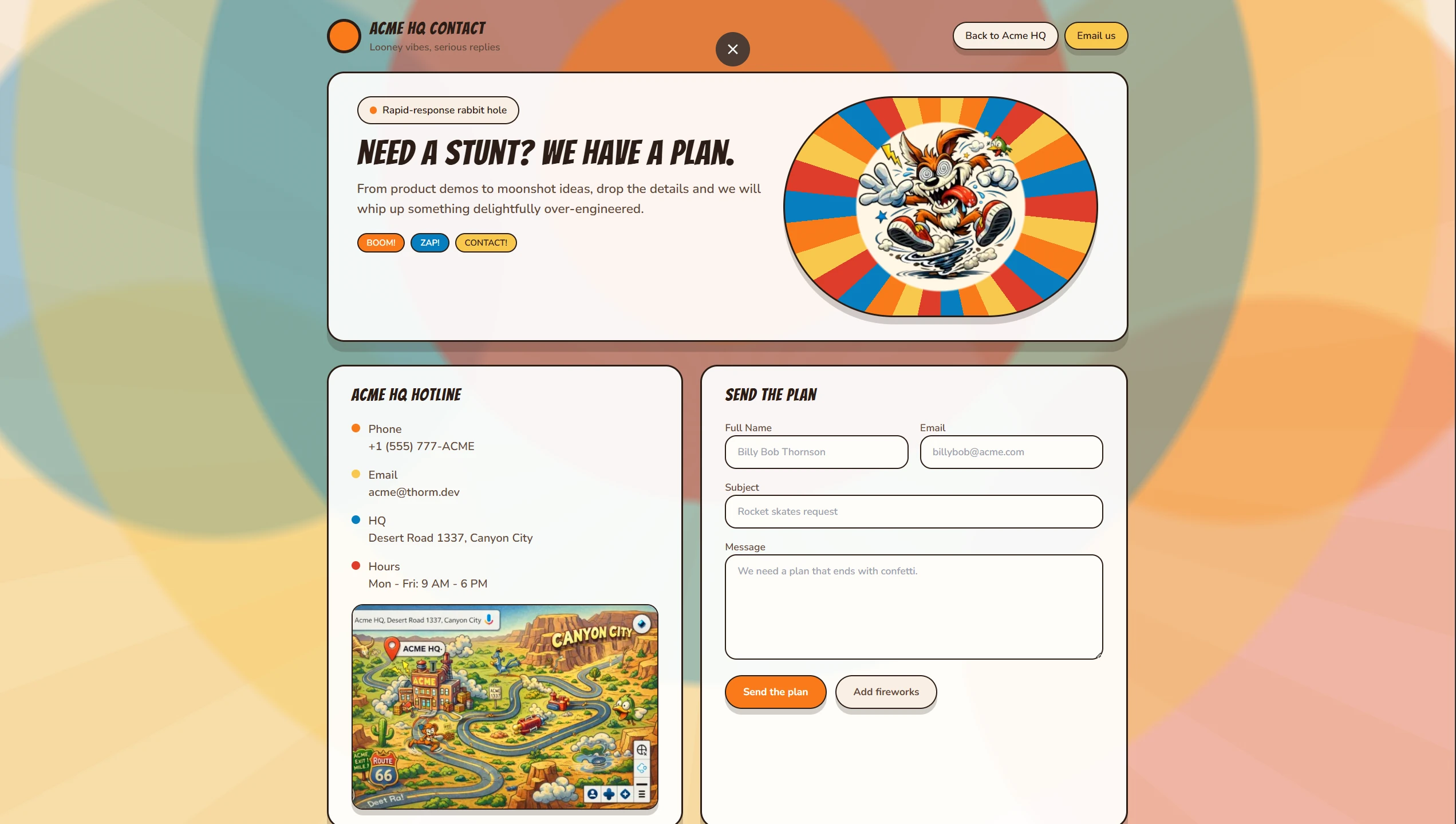
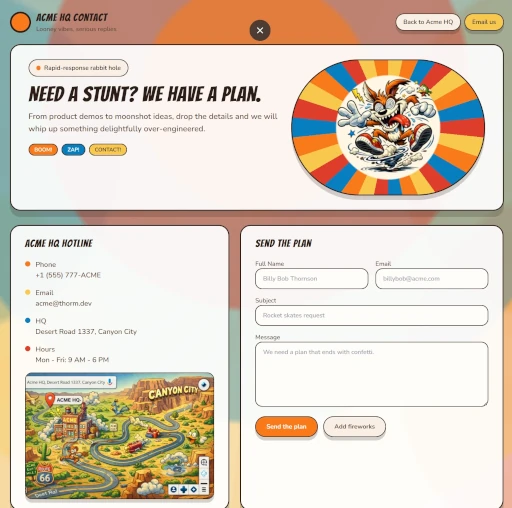
We have received a request from the CTO of ACME HQ, Goof Duckerson, to design and build a dedicated contact page for their organization. Mr. Duckerson supplied detailed specifications, including preferred messaging, layout expectations, and a clear visual direction that reflects ACME HQ’s brand identity. Along with the creative brief, he provided an explicit color scheme and asked that we stay consistent with their established look and feel. He also requested that TailwindCSS be used as the primary styling approach so the implementation remains modern, modular, and easy to maintain. Our goal is to translate these requirements into a clean, accessible contact experience that matches their branding while keeping the codebase efficient and scalable for future updates.
P.S. In case you're wondering, ACME HQ and Mr. Goof Duckerson are 100% imaginary—no actual ducks were promoted to CTO in the making of this tutorial.
Prerequisites
- PHP: >= 8.1
- A local web server (built-in PHP server is fine)
- Composer (optional)
Instalation
If you have composer installed:
composer create-project thorm/app contact
cd contact
For this tutorial we are going to assume the following folder structure:
/hello-thorm
    /src
        /assets
        /php
        /runtime
    /vendor
    index.html (this file will be overwritten at build time)
    index.ir.json (will be created at build time)
    composer.json
At this point, it might be a good idea to register the namespaces.
composer dump-autoloadTemplate and CSS
Building full pages from scratch with Thorm will require a html template. Templates are familiar to PHP developers, almost all frameworks use them in one way or another. While Thorm can easily write the entire DOM, there isn't much interactivity outside of <div id="app"></div>
Here's how the JavaScript flow in template:
- It loads the runtime as an ES module: import { mount } from '{$runtime}'; where {$runtime} resolves to something like .../thorm/runtime.index.js.
- It defines an async IIFE (Immediately-invoked function expression) assigned to RT. That function:
- fetches the IR JSON from {$iruri_dir}{$iruri} with cache: 'no-store';
- parses the JSON;
- calls mount(ir, document.getElementById('app')) to render into #app;
- then tries to surface atoms, subs, and a notify function from the runtime's store (binding notify to preserve this).
- RT is a Promise of { atoms, subs, notify }, so consumers can await RT to get those handles.
Everything else is template wiring:
- {$headScripts} is where your fonts/Tailwind/custom CSS get injected.
- {$title} sets the page title.
- {$iruri_dir}{$iruri} becomes the URL to the generated IR JSON.
Alongside TailwindCSS, we'll add a small custom CSS layer to capture the client’s exact color palette, typography tweaks, and any brand‑specific styling that Tailwind’s defaults don't cover. This keeps the utility workflow while still matching ACME HQ's visual identity and polish.
Copy and paste this inside /public/style.css